
SQL to dbt guide: Your dbt Starter Pack Project
Let's go through how dbt helps data teams going from raw sources to analytics ready models with version control, documentation and great testing capabilities.

Hi there! Alejandro here 😊
Suscribe if you like to read about technical data & AI learnings, deep dives!
Enjoy the reading and let me know in the comments what you think about it 👨🏻💻
My previous article got a lot of attention for a small writer like me. So, I thought it was a good time to share a dbt series I've had archived for a while.
To refresh the concept:
dbt runs dependent SQL queries in order, letting you transform raw data into analytics-ready assets. It adds version control, integrated testing, and code reuse to make your life easier.
Table of Contents 📚
We are going to cover these topics as a brief introduction in this article, but deeply across the next articles of the series:
Introduction to dbt basics: YAML files, Materializations, Jinja and dbt commands.
Medallion Architecture: Bronze, Silver, Gold and transformation practices to get started.
Quality with dbt: generic & singular tests, data contracts and great expectations package
Code reusability with Jinja Syntax using Macros
Slow changing dimensions transformations with dbt snapshots
a dbt hands on project with messy data to follow along practical use cases across the series
What We Are Building
A complete dbt-core project with DuckDB with tests, contracts, full medallion architecture and using most of dbt's features so you gain knowledge on use cases.
You can find the prerequisites in the sql-to-dbt-series repo.
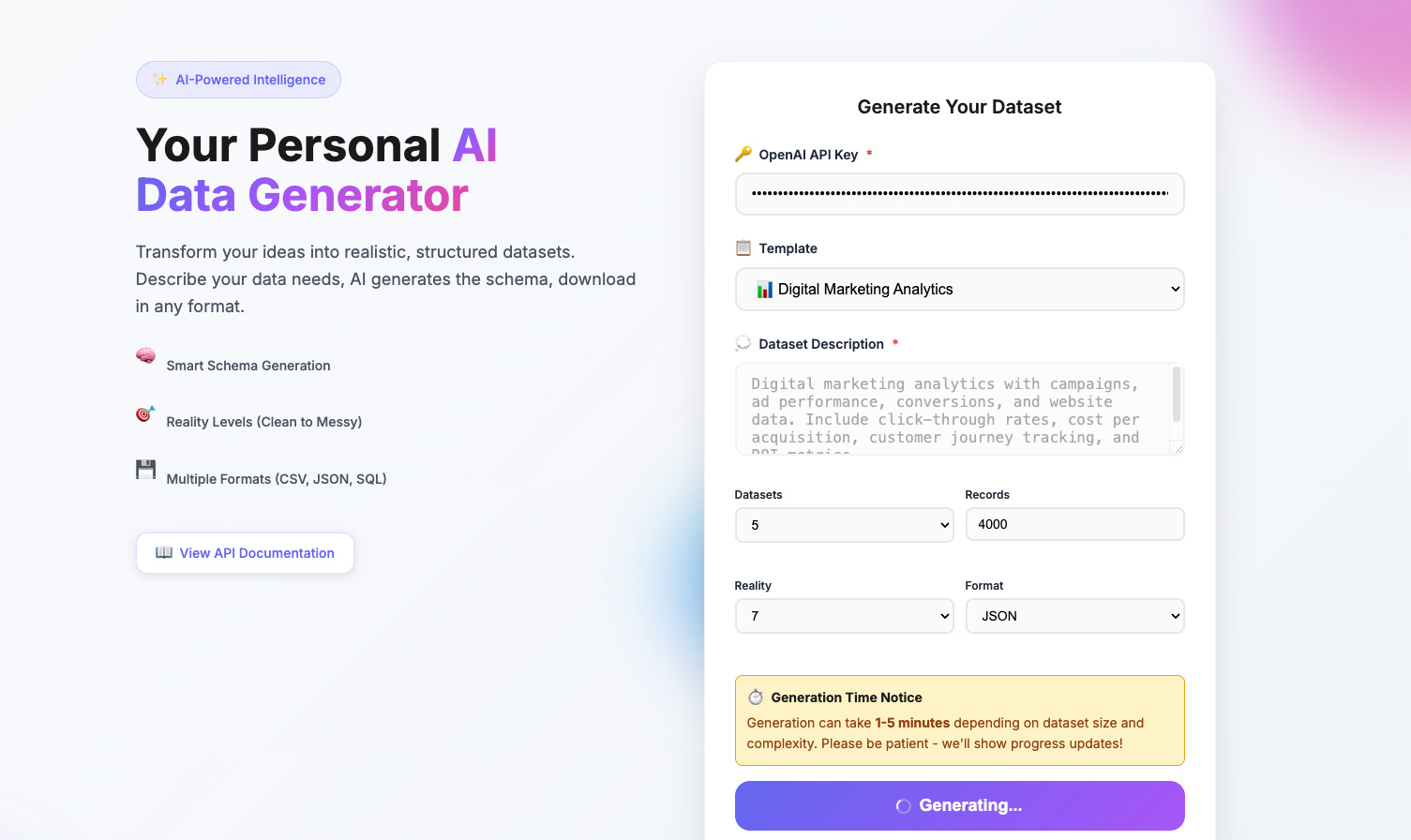
For this project, I used syntheticdatagen.xyz to create messy marketing datasets about campaigns, events, sessions, and conversions.
Let's talk about the most common dbt project structure:
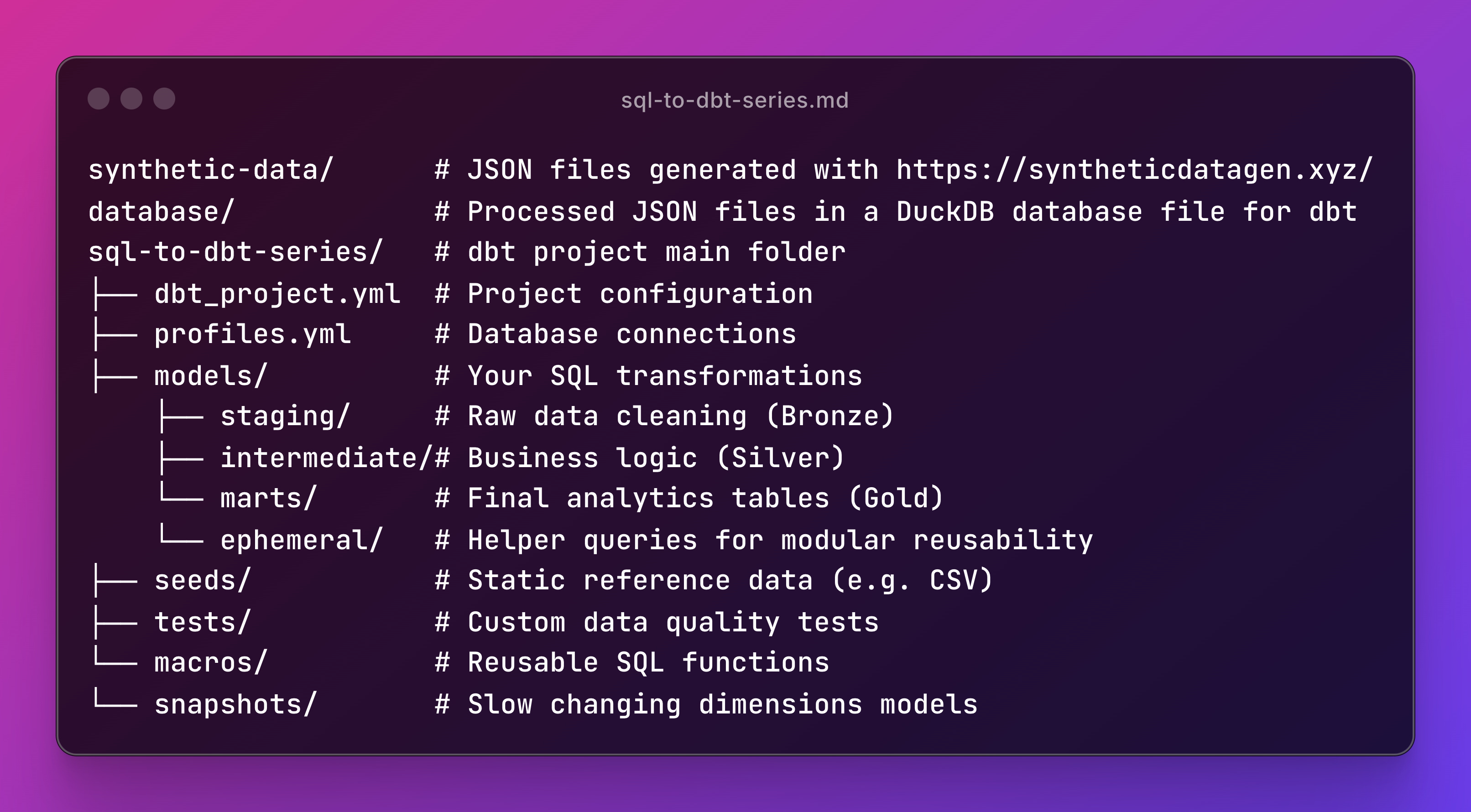
This structure is the most common starting point for dbt projects.
But make no mistake: there's no correct or incorrect way of using dbt.
I've used dbt in three different jobs, and none of them followed the same pattern. Each found setups that fit their workflows.
I've worked with dbt in several ways: terminal with virtual environments, dbt Cloud, Docker Compose, and interactive Docker bash. The core concepts stay the same, so you can transfer what you learn across them.
Here are the first steps if you want to go from scratch:
Run
dbt initto create the project structure.Install your dbt adapter (PostgreSQL, BigQuery, Databricks, Snowflake, etc) using
pip install dbt-duckdbConfigure your
profiles.ymlwith your data warehouse details.Set up
dbt_project.ymlwith your project structure and materialization types.Add packages to
packages.ymlif needed.
Sounds like a lot, but you won't have to run all these commands since the project is ready for you to start practicing right away. If you don’t believe take a look!
dbt Glossary 📒
Besides SQL files, we need to explore some concepts to shift from a SQL mindset to a dbt mindset. You'll see these are pretty easy to pick up.
Sources, Models, Seeds, Snapshots
Sources define external data tables in your warehouse that dbt will reference but not manage directly. They act as the entry point for raw data coming from your ETL pipelines or external systems.
Models are SQL files that transform your data using SELECT statements, creating new tables or views in your warehouse. They're the core building blocks where your business logic lives.
Seeds are CSV files stored in your dbt project that get loaded into your warehouse as tables. They're perfect for small reference datasets like lookup tables or configuration data.
Snapshots capture point-in-time versions of your data to track how records change over time. They're essential for slowly changing dimensions and historical analysis.
YAML Files
dbt uses YAML as the backbone for configuration, and it's everywhere in your project. You can configure your project, sources, schemas, tests, and even docs. For example:
Project config (dbt_project.yml): Controls how everything builds
models:
   my_project:
      staging: +materialized: view
Schema & Test definitions:
models:
     - name: stg_customers
       description: "Cleaned customer data"
       columns:
          - name: customer_id
            description: "Unique identifier"
            tests: - unique - not_null
No need to memorize this. The patterns are easy to follow, and you'll get used to them.
YAML is a standard for declarative configuration files across the data industry. dbt is a great way to get started with it.
Materializations
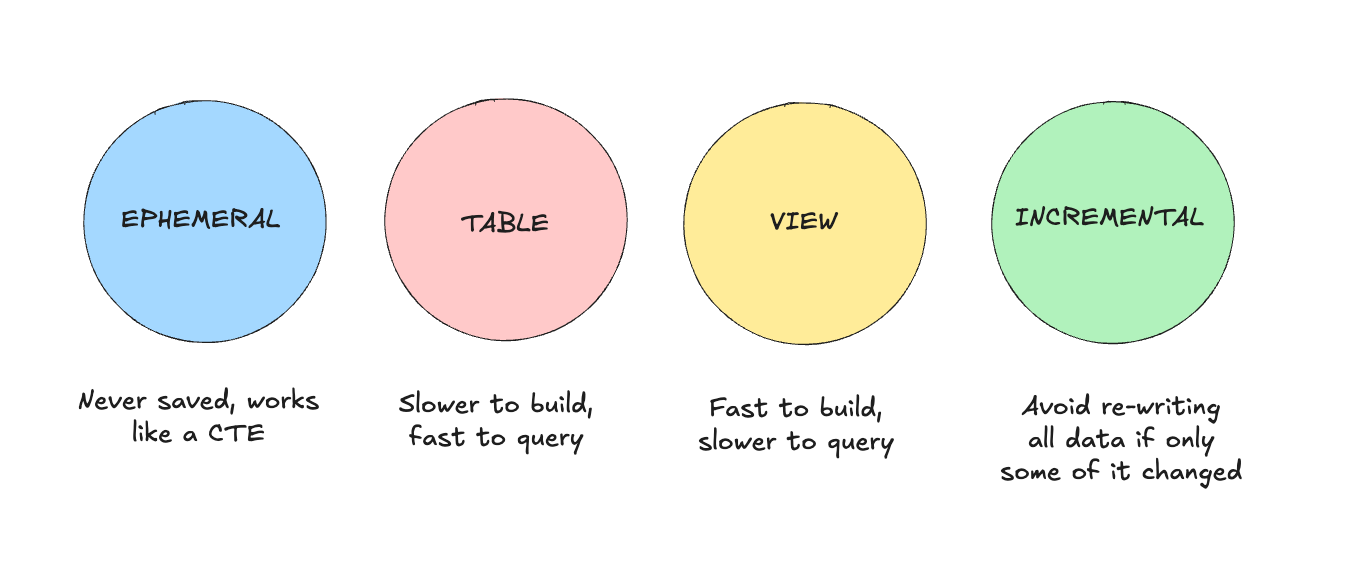
They define how dbt builds your models in the database.
Think of them as different ways to store your SQL results:
View: The classic SQL VIEW. Fast to build but slower to query. Perfect for staging models where you're just cleaning data.
Table: The classic SQL TABLE. Slower to build but faster to query. Great for marts that get queried frequently.
Incremental: Processes only new or changed records since the last run to avoid full reloads.
Ephemeral: Instead of writing CTEs to make code modular, use this as a helper; it won't be stored in the database.
You can set them at the top of your model file using {{ config(materialized='table') }} or in dbt_project.yml as we saw earlier.
Model-level configurations override whatever you set in dbt_project.yml.
There's no right or wrong approach here; it depends on your database's capacity and your use cases.
By default, everything will be a VIEW unless you configure another materialization type.
Jinja Syntax (dbt Macros)
This lets you reuse code whenever you don't want to repeat yourself or want to keep your code clean.
Macros make this possible in a dbt project.
The most common one is ref(), which references sources or other models instead of copying SQL snippets:
FROM {{ ref('stg_customers') }} LEFT JOIN {{ ref('stg_orders') }} The {{ ref('stg_customers') }} syntax creates dependencies. This way, dbt knows which models to run first.
But it gets better if you want to avoid repeating code multiple times. Here's a common use case:
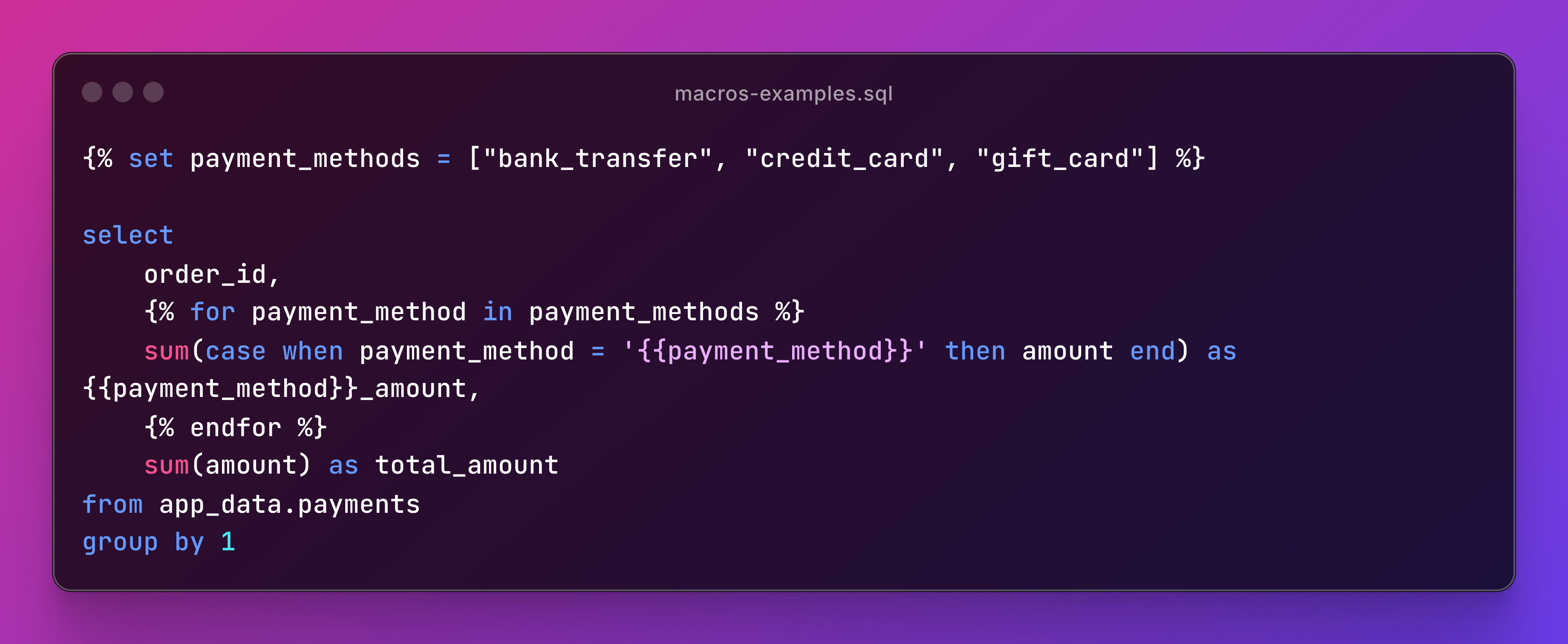
Using Macros correctly boosts your code's modularity and reusability. But make sure you really need them before overengineering otherwise, your project can get hard to navigate.
dbt commands cheatsheet
Here's your dbt command list for the most important tasks:
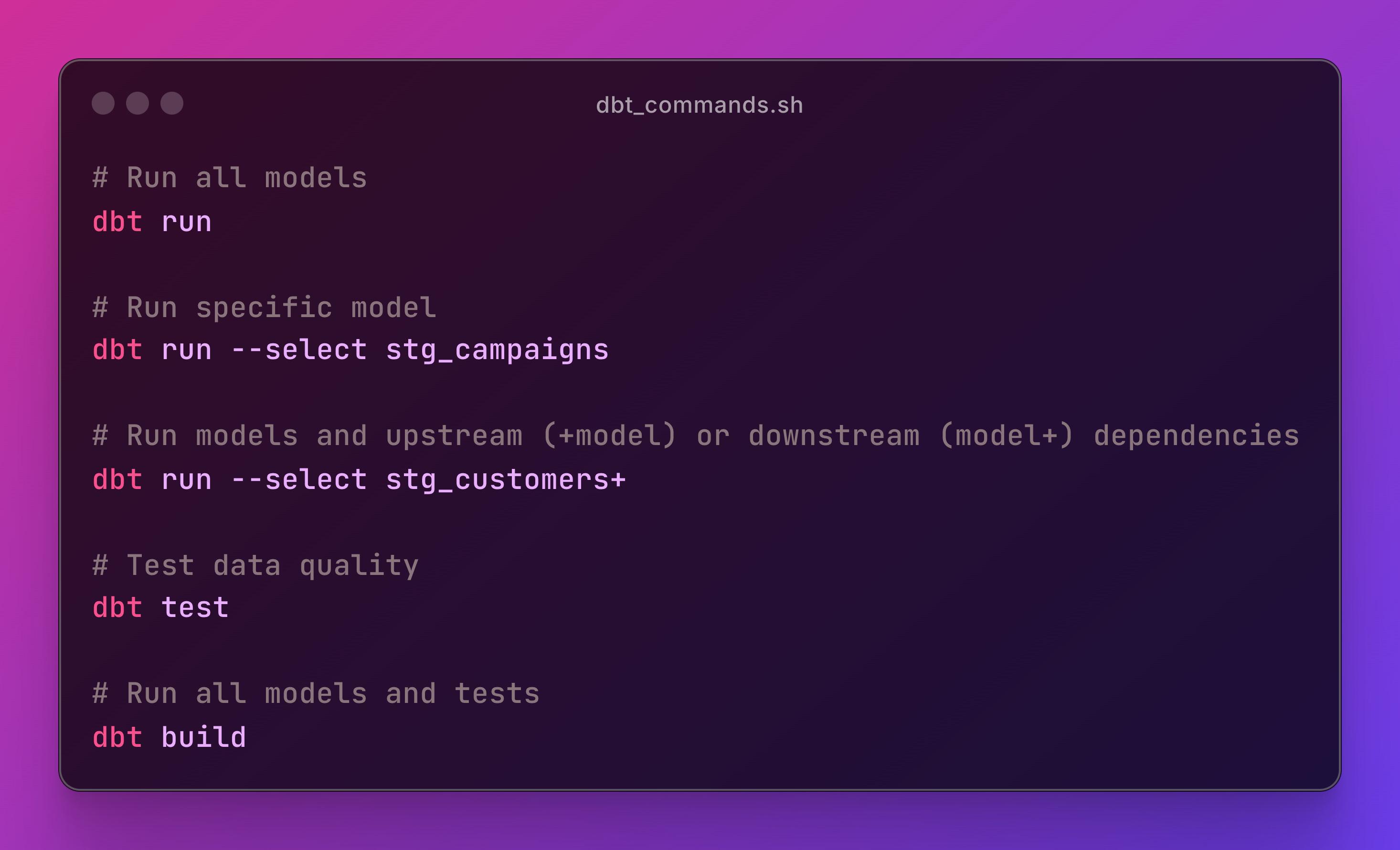
Don't worry, these commands will be in the README.md file of the repo for this series.
📝 TL;DR
This guide walks you through building your first dbt project from scratch using DuckDB and synthetic marketing data.
You'll learn the essential dbt concepts such as project structure, materializations, Jinja macros, and core commands while building data models with messy data.
The focus is on practical, hands-on learning rather than theory, showing you how dbt transforms SQL into a structured, testable analytics workflow.
You'll find prerequisites in the project sql-to-dbt-series repo.
The goal is to get you started quickly without installing lots of packages. Just use Docker to work with dbt in the ready-to-use project.
This foundation prepares you for the rest of the series, where you'll explore how a dbt project works and how each detail fits together.
Next up, we'll dive into:
Medallion Architecture
Testing and Data Contracts
Reusability with Macros
Slow Changing Dimensions with dbt Snapshots
If you enjoyed the content, hit the like ❤️ button, share, comment, repost, and all those nice things people do when like stuff these days. Glad to know you made it to this part!

Hi, I am Alejandro Aboy. I am currently working as a Data Engineer. I started in digital marketing at 19. I gained experience in website tracking, advertising, and analytics. I also founded my agency. In 2021, I found my passion for data engineering. So, I shifted my career focus, despite lacking a CS degree. I'm now pursuing this path, leveraging my diverse experience and willingness to learn.
++ Good Post, Also, start here 100+ Most Asked ML System Design Case Studies and LLM System Design
https://open.substack.com/pub/naina0405/p/bookmark-most-asked-ml-system-design?r=14q3sp&utm_campaign=post&utm_medium=web&showWelcomeOnShare=false
Excellent quickstart to dbt!