
🔂 CDC in PostgreSQL: how does built-in Logical Replication work?
This article will go through an experimental repo to simulate Change Data Capture (CDC) from PostgreSQL to PostgreSQL using native Logical Replication.

As one of my learning goals, I’ve been searching for Change Data Capture (CDC) alternatives for PostgreSQL recently.
If you are new to CDC, you might want to check this post first:

While conducting my research, I found that most use cases involve taking data from a source (e.g., PostgreSQL) and moving the payload to an object storage target (e.g., AWS S3).
However, it has been difficult to find a more basic use case, such as PostgreSQL-to-PostgreSQL replication.
As usual, there are major players in this space, such as Fivetran, Airbyte, and Estuary, among others.
The downside is that costs escalate quickly, often without notice.
If you really want to learn, try experiencing the challenges of progressively setting up and maintaining open-source tools.
Starting small always allows you to gain perspective before relying on black-box tools to handle everything for you.
👨🏻💻 The environment
I’ve created a repo to help me speed up my testing.
👉 Github Repo: 🔃 Change Data Capture (CDC) using Logical Replication in PostgreSQL
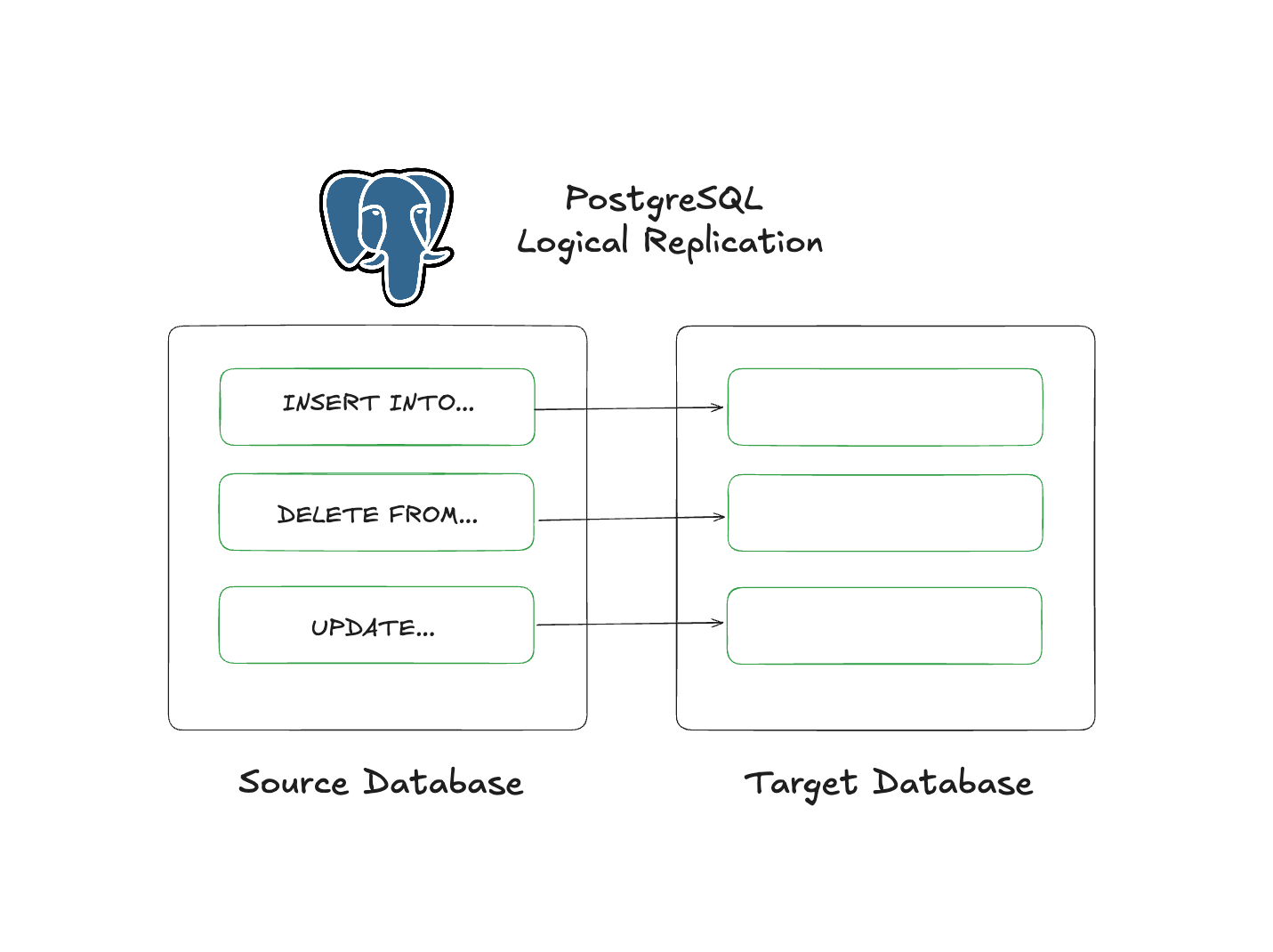
In this context, I’ve enabled 2 PostgreSQL services with Docker to simulate CDC with a fake data generator I’ve adapted for this scenario.
With some simple commands, you can simulate a bunch of scenarios such as INSERT, DELETE, UPDATE, DROP, TRUNCATE.
Using Dbeaver or psql in your terminal can help you validate the changes afterwards.
By default, the repo will create the 2 PostgreSQL instances with everything you need.
For this to work, we need:
A Replication Slot in the Source Database.
A Publication with a set tables to replicate.
A Subscription to receive those changes into the Target Database.
Tables with primary keys.
PostgreSQL config with
wal_level = ‘logical’
🔗 Starting the replication
To get started, you can clone the repo and run:
make build
NUM_RECORDS=10000 make run
This will spin up both PostgreSQL services, and create source tables with 10K rows of fake data. Then, you run:
make cdc-logical-replicationThis will enable the CDC process between both services. We will see that command does below.
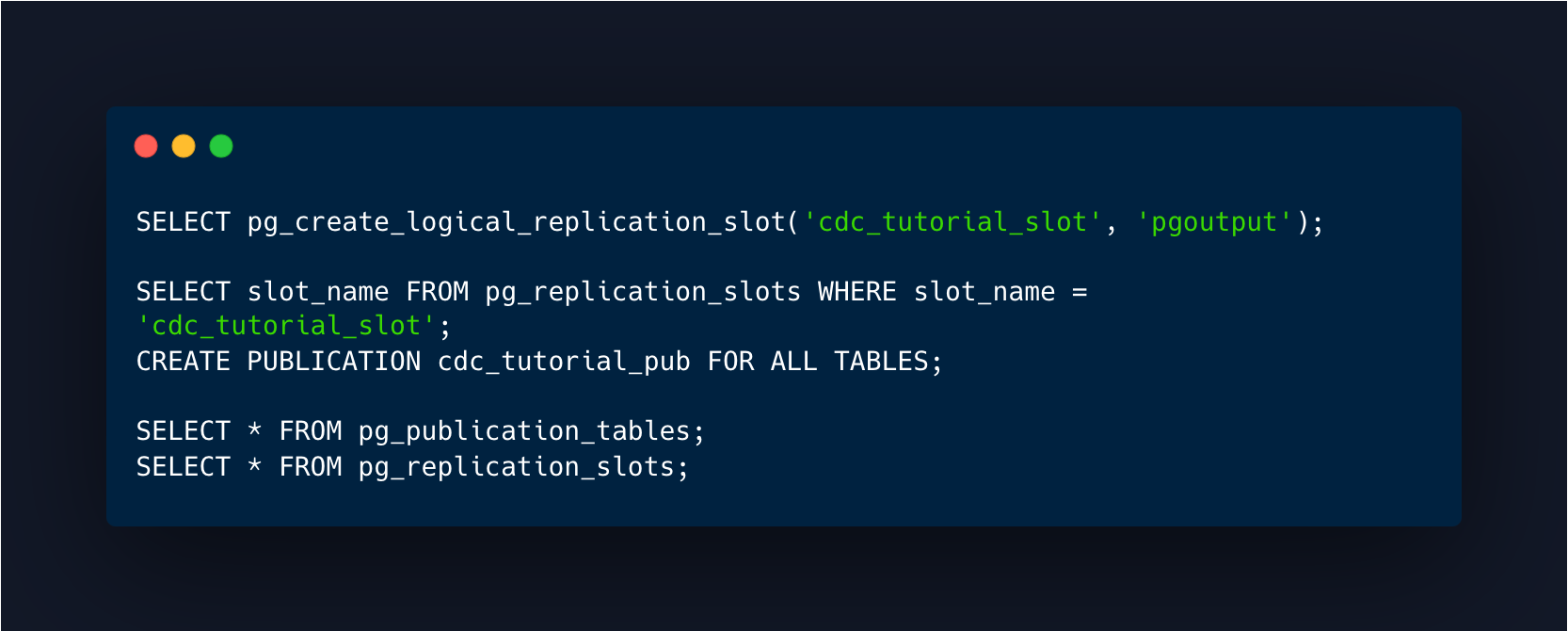
Source (a.k.a provider/publisher):
Create a replication slot.
Create a publication for specific tables or ALL TABLES.
Verify that the slot has been created.
Verify the tables you’ve chosen are listed.
Target (a.k.a subscriber):
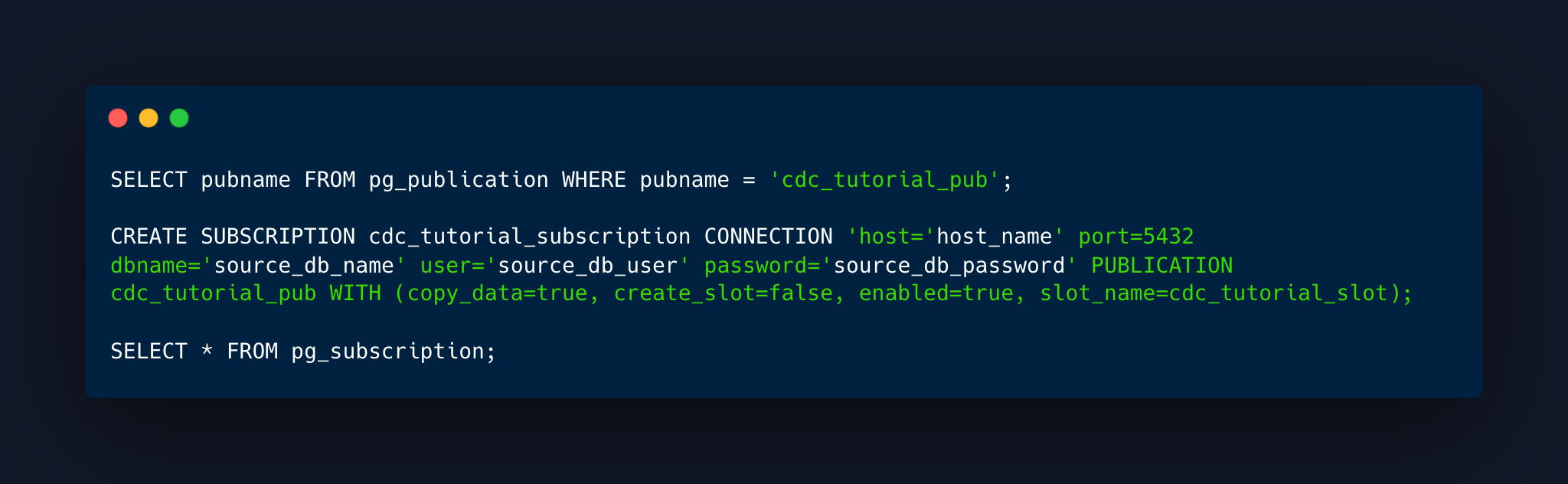
Create the subscription.
Validate that the subscription was created.
🔂 Sending changes
You can start sending changes, these commands will apply INSERT, DELETE, TRUNCATE or UPDATE on random tables. You can decide on how many rows you apply the changes:
NUM_RECORDS=500 make insert-data
NUM_RECORDS=500 make delete-data
NUM_RECORDS=500 make update-data
make truncate
This is the same as doing (e.g. products table):

😭 Break the replication!
If you haven’t set the publication to run for ALL TABLES, adding a new table won’t change a thing, because you need to add it or remove it explicitly to/from the replication.
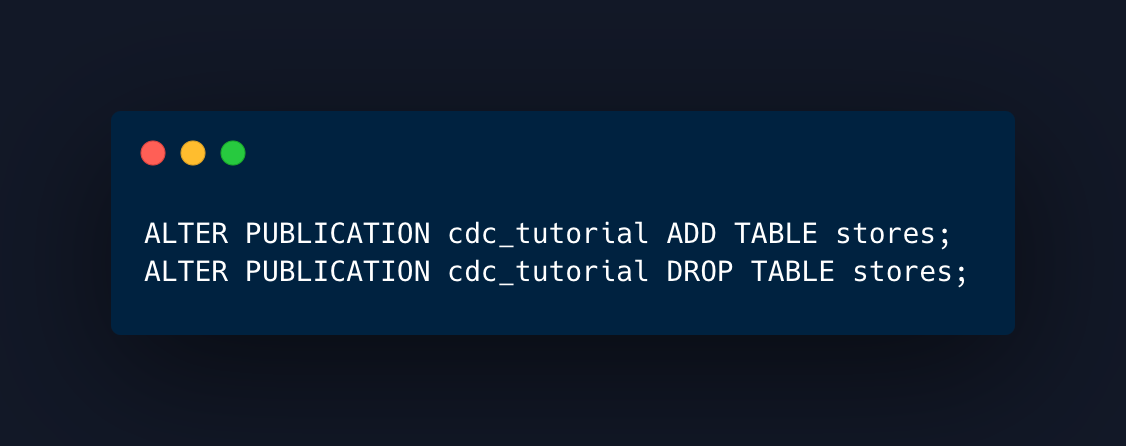
Bear in mind that if you create a table in the source, you will need to the same in the target, it won’t be created by the replication.
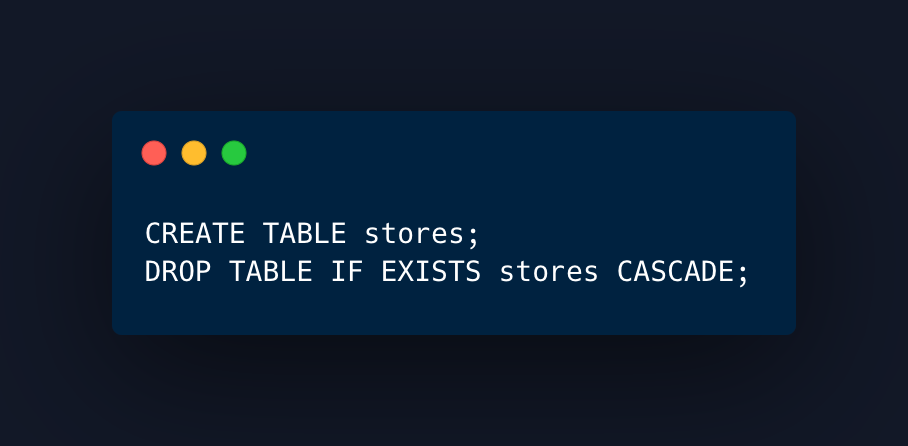
If you drop a table that was included in the replication, it will break the replication process and you will need to recreate it.
You can test this scenario by running these commands in the repo:
make create-table
make drop-table
Translates as (e.g. products table):
Schema changes is another scenario, you can also test it:
make add-column
make drop-column
Translates as (e.g. products table):

You will notice this is completely ignored by the replication process.
As always, you can run these commands to validate all changes:

📝 Conclusions & Notes
For a one-shot replication, this might be an amazing solution.
If you don’t create new schema often, the workflow is pretty simple.
You should automate addition of new tables to the replication sets.
You need PRIMARY KEYs on the TABLES you want to replicate. Not views.
By default, it will do a full snapshot or the current table. You can disable this by using
copy_data=falsewhen creating the subscription on the target database.This feature doesn’t replicate sequences, DDLs or schemas.
Schema changes are ignored. Adding or dropping columns will do nothing. Afterwards the replication will be broken.
If you have
ALL TABLESincluded in your publication and you create a table, you need to also add it on the target database, otherwise it will just ignore it.If you have
ALL TABLESincluded in your publication and you drop a table, replication will be broken.
If you enjoyed the content, hit the like ❤️ button, share, comment, repost, and all those nice things people do when like stuff these days. Glad to know you made it to this part!

Hi, I am Alejandro Aboy. I am currently working as a Data Engineer. I started in digital marketing at 19. I gained experience in website tracking, advertising, and analytics. I also founded my agency. In 2021, I found my passion for data engineering. So, I shifted my career focus, despite lacking a CS degree. I'm now pursuing this path, leveraging my diverse experience and willingness to learn.