
Behind Substack Author MCP: Resources, Prompts, and Tools Explained
AI offers great opportunities to build the right tools to make our lives easier, but not everything is copy-pasting n8n templates to take shortcuts. Let's learn about MCPs!

Hi there! Alejandro here 😊
Suscribe if you like to read about technical data & AI learnings, deep dives!
Enjoy the reading and let me know in the comments what you think about it 👨🏻💻
📝 TL;DR
In case you want to use it, the MCP is available here.
Single Responsibility: One resource/prompt/tool = one job. Keeps everything maintainable.
Tools: Dynamic data fetching. One API operation per tool. Clear descriptions help the AI know when to call them.
Prompts: Multi-step workflows. Describe the process, specify which tools to use. One outcome per prompt.
Resources: Static docs (setup guides, integration patterns). One topic per resource.
Transports: stdio for local-personal tools; HTTP for remote access
2 weeks ago, I shared on Built do Launch how I built a Substack Author MCP to solve my content analysis problems.

I summarized how I went through months of random python and javascript scripts, local MCP, packing AI prompts and many other workarounds, just to end up in context switching hell.
Today I want to talk about how you can actually build it, and what did I learn of putting it together.
Most MCP projects end on your computer, just with Claude or Cursor demos where you need to install a repo since its not remotely accesible. That’s not the case here.
Note that I am usually focus on data engineer topics, so everything you will see comes from the perspective of someone who works on AI topics from that angle.
Everything is a system, a data workflow and AI is another way of enabling it.
Let’s go through MCP basics with FastMCP.

🎯 The “One” Thing Principle
MCP Servers consists of 3 key elements: Tools, Resources and Prompts.
Basically, you give LLMs & AI Agents those assets so the AI figures out when and how to use them.
And the success of the last statement relies on how well defined those resources, tools and prompts are.
Each piece of your MCP should do one thing and do it well. If you need “and” or “or” to describe what a function does, it probably has more than one responsibility.
Yeah, you can’t get away from code design:

In MCPs, this means:
One Resource = one documentation topic.
One Prompt = one workflow outcome.
One Tool = one operation.
You can check this video to see how this principle is followed on each available action:
When these principles aren’t followed and you expect tools or prompts to do multiple things, failures cascade, AI systems are confused and predictability feels like a dream.
Clear single purpose means the AI knows exactly when to call it.
Keep each piece focused, and everything else gets easier.
The best reality check is to try a couple times asking for the same thing and see how the AI reacts. Always picking the same tool? You are on track.
If you want a quickstart on MCP concepts before diving in, I recommend:

🛠️ Tools: What the AI Can Run
Tools let the AI interact with the real world: fetching data, calling APIs, reading files.
In Substack Author MCP, I tried to give tools to fetch notes and articles contents and article performance metrics.
I enhanced these tools with some custom logic I came up with after multiple iterations on Substack’s Internal API.
Here you can see how to get articles, performance metrics and notes:
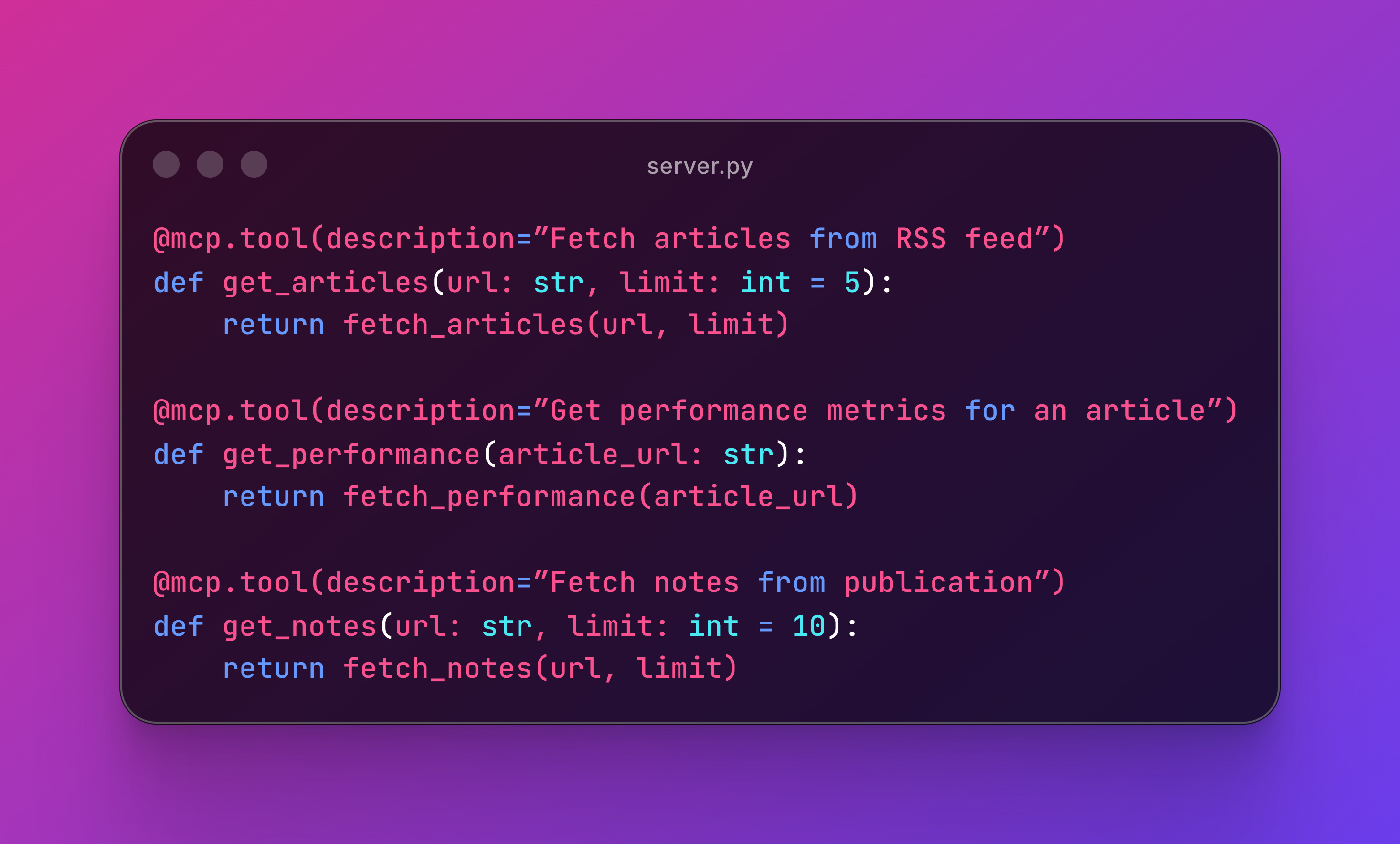
Small tools compose into powerful workflows via prompts. Each one is testable, maintainable, and clear.
It’s also important to always return JSON structured data to make debugging and formatting predictable for the AI, specially if we are wrapping up API responses.
When to use Tools:
Real-time data needed
Different inputs each time
Calling external APIs
💬 Prompts: What the AI Can Follow
Prompts are reusable instructions that tell the AI exactly how to approach a task.
They’re workflows packaged as code.
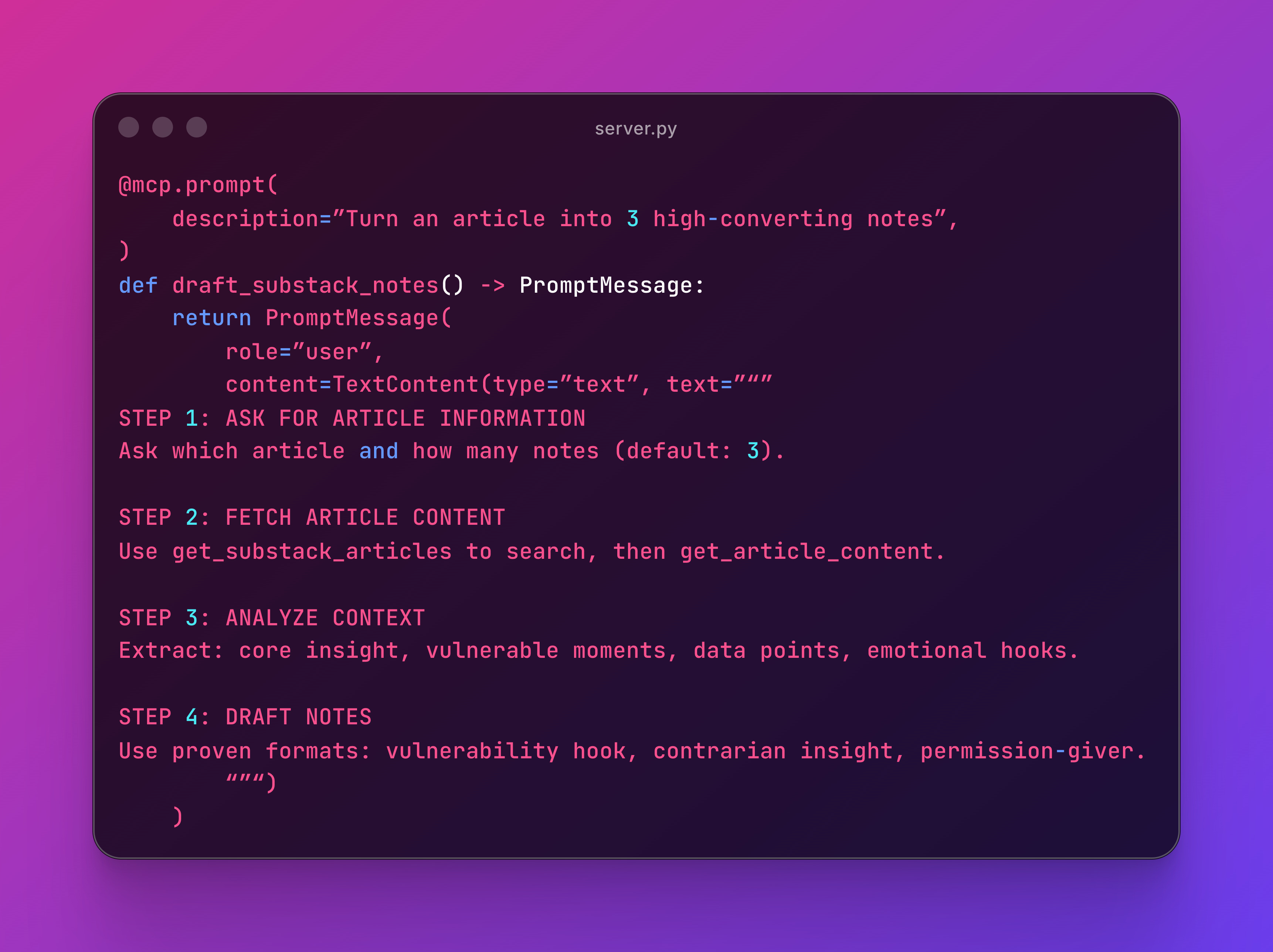
This prompt has one job: turn an article into notes.
It defines the process and specifies which tools to use. The workflow is repeatable and maintainable.
Here’s another focused prompt:
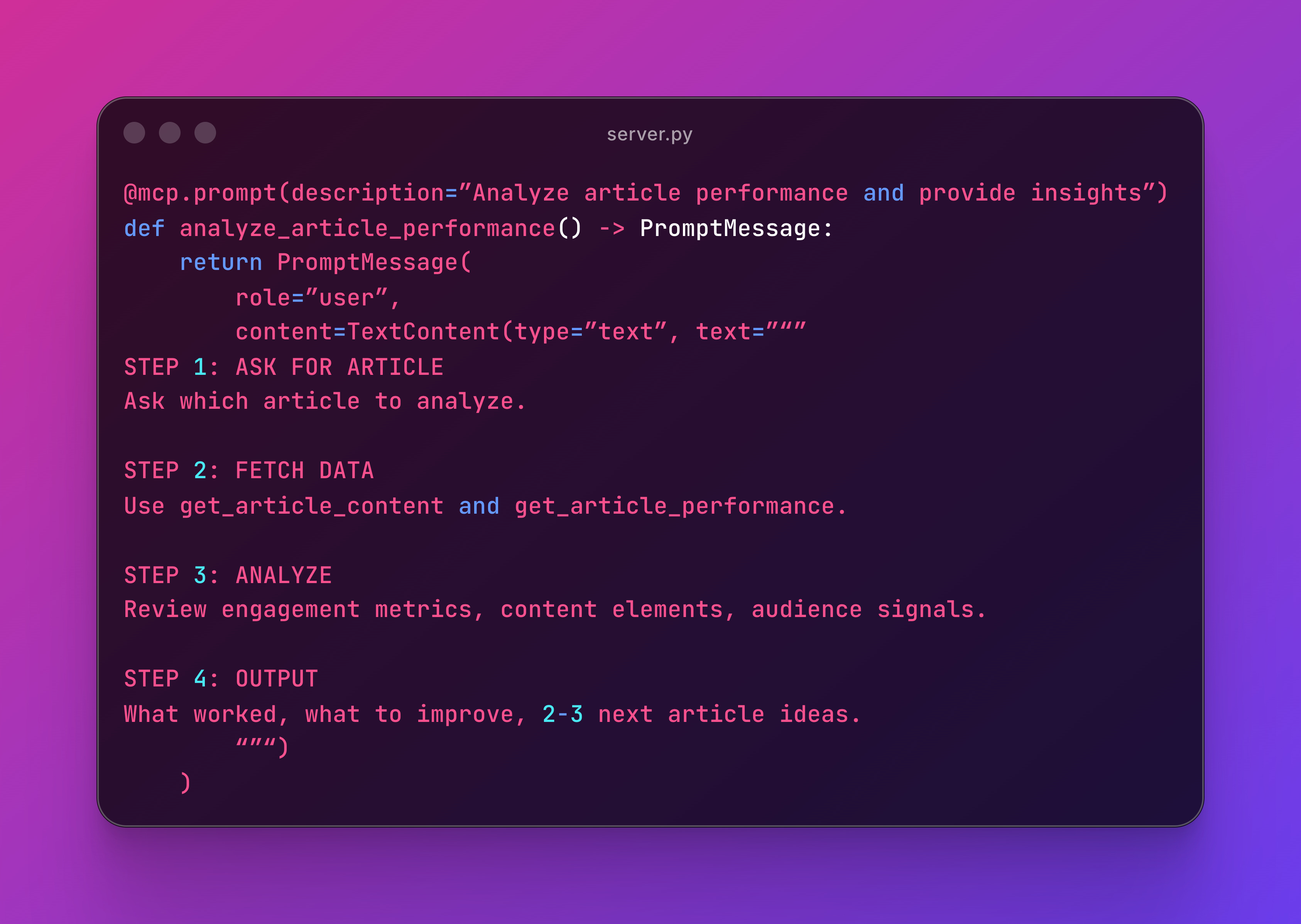
One outcome: performance insights. If you need to draft content, that’s a different prompt.
There’s an interesting pattern: you can tell the AI in the prompt to use X tool to achieve certain task. If your MCP has well documented tools, this would work like a charm.
When to use Prompts:
Multi-step workflows that work consistently
Encoding expertise into repeatable processes
Users need guidance on tool orchestration
Note: This week Claude released Skills, which is how MCP prompts can be used.
📚 Resources: What the AI Can Read
Resources are documentation or guides your AI can reference.
Perfect for setup instructions, best practices, or integration docs.
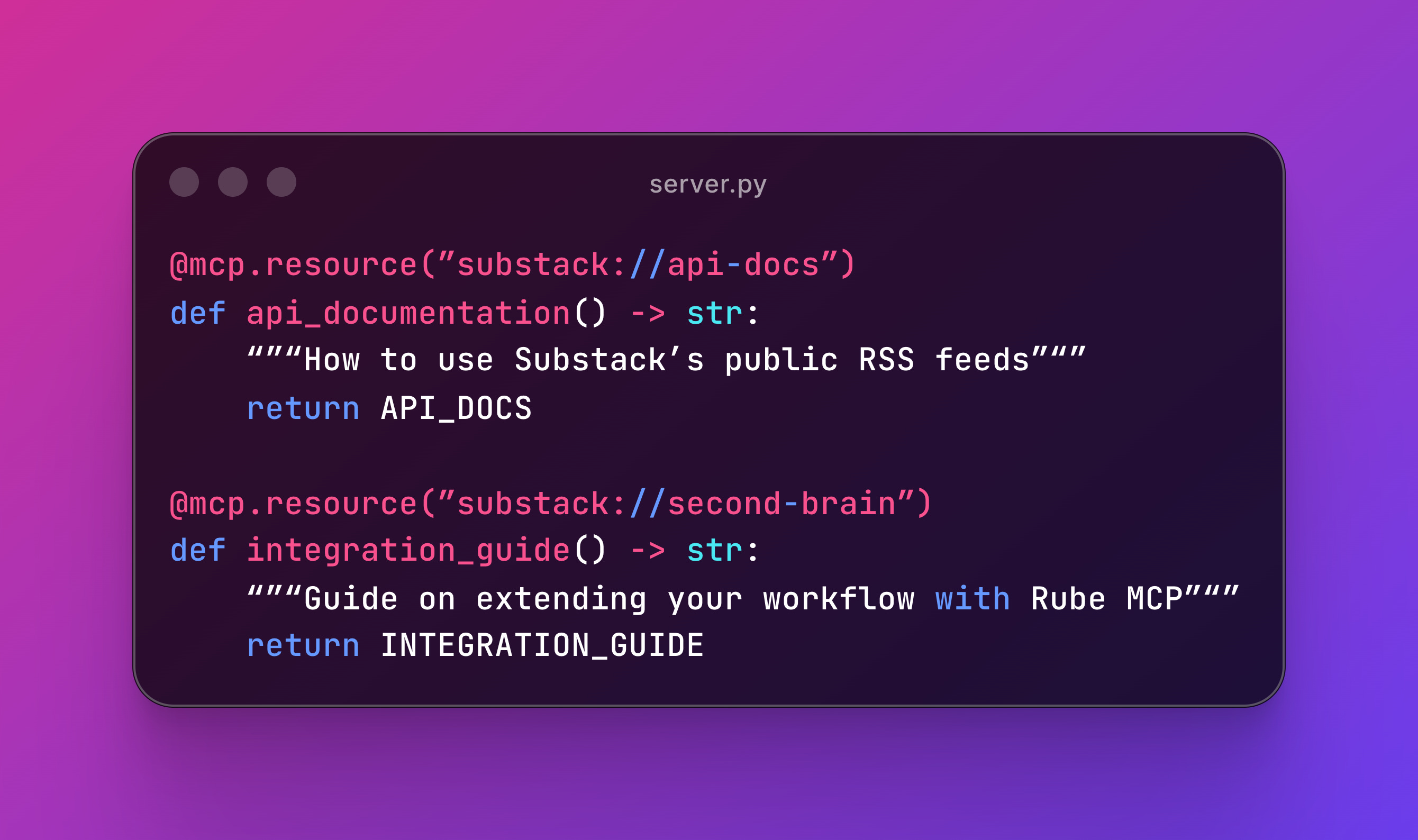
Each resource should serve one purpose so it’s findable. For example, the first explains Substack’s API, the second covers integrations ideas with Rube MCP.
When to use Resources:
Documentation that changes rarely
Users frequently ask “how do I do X?”
Providing context without making API calls
🚂 Transports: stdio vs HTTP
MCPs can run locally (stdio) or remotely (HTTP).
stdio: Local-Only
When we say “you have to download the repo and run it on Claude Desktop, we are talking about this one.
Your server runs as a subprocess of Claude Desktop or Cursor.
This is how you normally configure it on claude_desktop_config.json (Claude Desktop) or mcp.json (Cursor):
{
  “mcpServers”: {
    “my-local-mcp”: {
      “command”: “uv”,
      “args”: [”run”, “server.py”]
    }
  }
}
Use stdio for personal productivity tools, local file processing, and development.
HTTP: Remote Access
Your MCP runs on a server, accessible from anywhere.
if __name__ == “__main__”:
    mcp.run(transport=”http”, port=8000)
The Substack Author MCP was deployed on FastMCP Cloud and uses HTTP because it only calls public RSS feeds and APIs.
Use HTTP for sharing with others, mobile access, public APIs, and team collaboration. No local file access needed, and it also works from Claude mobile.
If you enjoyed the content, hit the like ❤️ button, share, comment, repost, and all those nice things people do when like stuff these days. Glad to know you made it to this part!

Hi, I am Alejandro Aboy. I am currently working as a Data Engineer. I started in digital marketing at 19. I gained experience in website tracking, advertising, and analytics. I also founded my agency. In 2021, I found my passion for data engineering. So, I shifted my career focus, despite lacking a CS degree. I’m now pursuing this path, leveraging my diverse experience and willingness to learn.